
Pearson+ | Study help & eTexts
Pearson Education, Inc.Education
4.7783.00 Reviews
- Version
- 1.3.26
- Installs
- 500.00K
- Age Rating
- Everyone
Screenshots
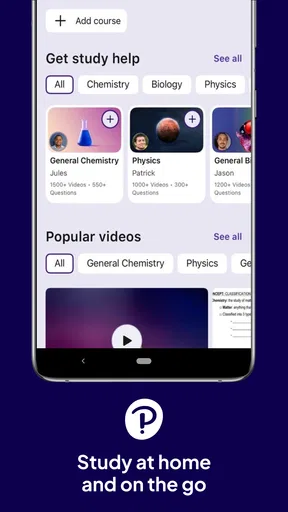
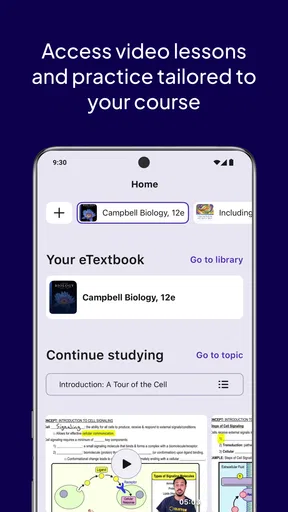
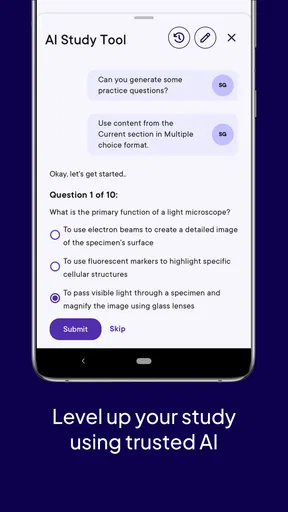
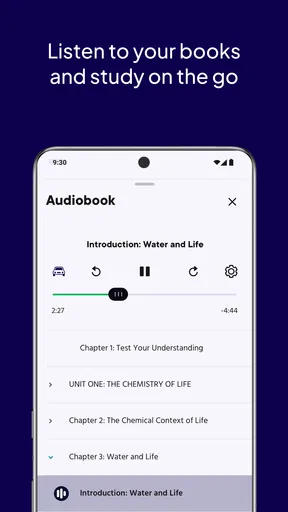
Our Review of Pearson+ | Study help & eTexts
 Analysis by Appyee
When I open Pearson+, I see it as a study companion built around Pearson learning material rather than a general-purpose lesson app. That distinction matters. It is aimed at students who already use Pearson textbooks or digital course content and want a more practical way to study at home, between classes, or during a commute. I found the experience most useful when I treated it as a repeatable reading and revision routine, not as a complete replacement for a teacher, a course platform, or a dedicated flashcard tool.
The app comes from Pearson Education, Inc. and sits in the education category. It is free to install, rated for Everyone, and currently listed as version 1.3.26 with support for Android 9 and later. Its average rating is 4.7 from around 13K ratings, while the wider adoption of over 500K installs suggests that it has become a familiar option for learners who work with Pearson content.
How I built a useful everyday study routine
My preferred starting point is simple: I choose one course or book, decide what I want to accomplish, and avoid opening the app without a clear task. That might mean reading a particular section before a lecture, reviewing a difficult explanation after class, or returning to a chapter before an assessment. This small habit makes Pearson+ feel much less like a digital bookshelf and much more like a focused study workspace.
A realistic example is a student with a long gap between two classes. Instead of carrying a textbook and hoping to find a quiet place, the student can open the relevant Pearson material, read a manageable section, and mark the places that need another look. Later, the same material can be revisited at home. The benefit is not simply having a book on a phone; it is keeping the same study source available across short sessions.
I recommend beginning with orientation rather than immediately reading every page. Locate the book or course content, check how chapters are arranged, and identify the controls for moving through the material. Digital textbooks can feel slower than paper when you are still learning the interface. A few minutes spent understanding navigation pays off when you need to find a definition quickly during revision.
The most effective workflow for me is a three-pass approach. On the first pass, I read for structure and note the sections that seem important or confusing. On the second, I return only to those sections and write a short explanation in my own words outside the app if necessary. On the third, I use the marked locations as a compact review route. This prevents the common mistake of highlighting nearly everything and then having no clear revision path.
That approach also reveals one of the app’s practical strengths: it can support small, repeatable study sessions. I do not need to wait for a free afternoon. Ten or fifteen minutes with one concept can be worthwhile, especially when the material is already organized in a familiar textbook. Students who struggle with starting may find that opening a specific chapter is easier than deciding what to study inside a broad learning platform.
Settings and reading choices worth checking early
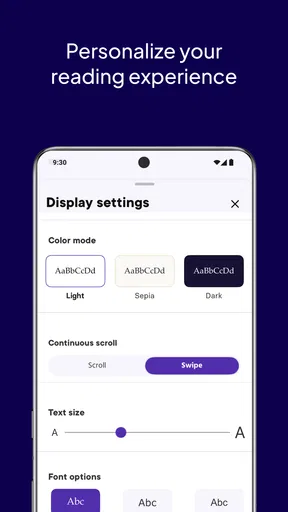
I would not rush past the reading controls. A digital textbook is only helpful if the page is comfortable to read, and comfort changes depending on whether I am using a phone, a larger Android device, or an iPhone. Before settling into a long session, I check the text presentation, screen orientation, and any available display choices so that I am not constantly zooming or repositioning the page.
Screen size creates an important trade-off. A phone is convenient for short reviews and quick reference, but dense diagrams, equations, tables, and side-by-side explanations can be tiring on a small display. A tablet or larger screen is usually better for serious reading. I see the phone version as excellent for portability, while a larger device is preferable when the material depends heavily on visual layout.
I also pay attention to how I move through a chapter. Some readers prefer continuous scrolling because it feels natural on a phone. Others retain the structure better when they move page by page, particularly when a textbook uses headings, examples, and figures in a deliberate sequence. I suggest trying both approaches instead of assuming that the default is best for every subject.
Another useful habit is to keep the app’s presentation consistent during a study block. Constantly changing the display can become a distraction, especially when the goal is comprehension. I choose a comfortable setup at the start, silence unrelated notifications on the device, and then leave the reading environment alone until the session ends. The app cannot create concentration by itself, but a stable setup makes concentration easier.
Because the app is free, it is tempting to treat installation as the whole decision. It is not. The real question is whether the Pearson content you need is available through the access connected to your course or book. I would check that before planning an entire semester around it. The app is most convincing for someone who already relies on Pearson materials; it is less compelling for a learner looking for an open library of unrelated subjects.
Shortcuts that make repeat study faster
Experienced use is mostly about reducing repeated decisions. I keep a simple list of the chapters that need attention and return to those sections instead of browsing from the beginning every time. When I finish a session, I record the next starting point in my notes. That tiny step removes the friction of remembering where I stopped.
I also separate reading from testing myself. During the first pass, I focus on understanding the author’s explanation. After closing the section, I try to recall the main idea without looking. If I cannot explain it plainly, I reopen the relevant pages. This is more effective than rereading an entire chapter simply because rereading feels productive.
A second pattern is to use the app alongside handwritten or external notes rather than demanding that one tool do everything. Pearson+ is strong as the place where the source explanation lives. A notebook can then hold formulas, questions, examples, or a brief summary. This division keeps the digital text clean and gives me a separate space for active recall.
For courses with heavy terminology, I make a small glossary while reading. I write the term, its meaning in the textbook, and one example in my own words. When I return to the chapter, I use the glossary to decide which passages deserve attention. This is particularly helpful when a chapter introduces many related concepts that look familiar but have different definitions.
For visual subjects, I avoid relying on memory from a quick phone glance. I revisit figures on the largest screen available and connect each diagram to the surrounding explanation. A common weakness of mobile reading is that a learner may remember the paragraph but miss how the image supports it. Treating figures as part of the argument, rather than decoration, leads to better comprehension.
Students who study while traveling should also think in terms of session length. I use short journeys for review, navigation, and checking marked sections, not for learning the hardest new topic from scratch. New material usually deserves fewer interruptions and a larger screen. This is a useful trade-off: portability expands the number of study opportunities, but it does not automatically make every study task equally suitable for a phone.
Where Pearson+ is genuinely helpful
The app makes the most sense for students who want their Pearson textbooks or course readings available without carrying printed volumes. It can also suit adult learners who fit study around work, commuters who have irregular free time, and students who move between home, campus, and shared spaces. The ability to return to the same educational material in different places is the central convenience.
I especially like the continuity between planned study and quick reference. If a lecturer mentions a concept that I do not remember, opening the relevant textbook can be faster than searching the wider internet and sorting through explanations of uncertain quality. The textbook gives me the vocabulary and sequence used by the course, which can reduce confusion when an instructor expects a particular definition or method.
That does not mean the app teaches every topic equally well on its own. A textbook may explain a concept carefully but still leave a learner needing worked examples, feedback, or a different explanation. I use Pearson+ as a reliable source to consult, then add practice questions, class notes, office hours, or another learning resource when understanding does not improve after rereading.
Compared with a paper textbook, the app wins on portability and quick access. Paper still has advantages for spatial memory, rapid annotation, and long uninterrupted reading. Compared with an all-in-one course platform, Pearson+ feels narrower and more content-centered. A full course system may be better for assignments, grades, discussion, and instructor communication. Compared with a flashcard app, Pearson+ offers richer explanations but usually requires more effort from the student to create an active-recall system.
That comparison helps clarify who should skip it. I would not choose Pearson+ as my main tool if I wanted language practice, adaptive quizzes across many publishers, a social study community, or a complete assignment dashboard. I would also hesitate if my course does not use Pearson material. In those situations, a general learning platform or the institution’s own course system may provide a better fit.
Limits that become clearer with serious use
The first limitation is that digital reading is not automatically efficient reading. Long chapters can become tiring on a phone, and the convenience of having material available everywhere can encourage shallow sessions. I sometimes catch myself moving through pages without being able to summarize the argument. That is a study problem as much as an app problem, but the format makes it easier to mistake progress through pages for learning.
Navigation can also feel less immediate than flipping through paper, particularly when I remember that a concept appeared somewhere earlier but do not remember its exact location. A disciplined chapter list and personal index solve much of this friction. Without those habits, the app can become a place where content is available but not easy to retrieve under pressure.
Another limitation is the boundary between reading and practice. A digital textbook can explain a method, but explanation alone does not show whether I can perform it independently. For mathematics, science, accounting, programming, or any subject that depends on procedure, I need a separate practice routine. Pearson+ supports the reference stage; it should not be mistaken for proof that I have mastered the skill.
Device choice matters more than I expected. A phone is excellent for checking a passage, but it is not always the best environment for comparing pages, studying a complex chart, or writing a detailed response. Students with eye strain or limited screen space should plan around a larger display when possible. The app’s portability is a strength, but portability and deep reading are not the same thing.
I also think about dependence on one publisher’s ecosystem. If most of my classes use Pearson books, keeping the material together is convenient. If my studies draw equally from several publishers, journals, lecture notes, and institutional tools, Pearson+ becomes one part of a larger system rather than a central hub. That is perfectly workable, but it changes the value proposition.
The current version, 1.3.26, is a useful reminder to keep the app updated through the normal store process, especially when relying on it for regular study. I would also test the exact books and course materials I need before an important deadline. That is not a criticism of the reading concept; it is sensible preparation whenever an app is tied to specific educational content.
Who will get the most from it
I would recommend Pearson+ to a student who already has Pearson learning material, prefers digital access, and is willing to build a simple review routine around it. It is a good match for someone who studies in small windows, values carrying less, and wants the textbook close at hand when a question comes up.
I would be more cautious for students who need constant interaction, immediate correction, or a highly adaptive path through a subject. Those learners may benefit more from a platform designed around exercises and feedback. I would also steer a student toward paper or a larger reading device if their main task is extended, intensive textbook reading and they find phone screens uncomfortable.
For parents and younger learners, the Everyone rating makes the app broadly approachable, but suitability still depends on the educational content and the learner’s course. A simple interface does not remove the need for guidance when a subject is difficult. The app works best when paired with a clear assignment, a teacher’s explanation, or a personal study plan.
My verdict after turning it into a habit
Pearson+ is most valuable when I use it as a dependable Pearson reading base, not as a complete education system. Its free access, portability, and connection to course textbooks make it practical for everyday study, especially for learners who move between locations or need quick reference. The 4.7 average and broad user base support the impression that it serves its intended audience well, although popularity does not remove the need to check whether the required content fits your course.
My strongest recommendation is to pair it with deliberate habits: choose a specific section before opening the app, adjust the reading setup for the device, mark only material that needs revisiting, and test your memory away from the page. Those choices turn a digital textbook into a useful study workflow. Without them, it is easy to read passively and assume that access equals understanding.
I would install it if Pearson materials are already part of my studies and I want a lighter, more flexible alternative to carrying books. I would skip it as a general learning app if I needed broad subject coverage, built-in practice, or a complete course-management experience. For the right reader, though, it is a sensible education app that earns its place through convenience and consistency rather than flashy extras.
Verdict
Strengths of Pearson+ | Study help & eTexts
- Offline downloads let you study without a reliable internet connection.
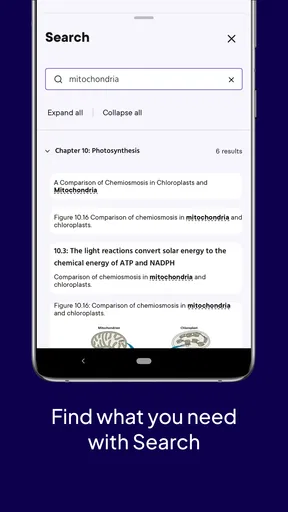
- Search tools make it quick to find terms, chapters, and key passages.
- Adjustable text size and display settings improve reading comfort.
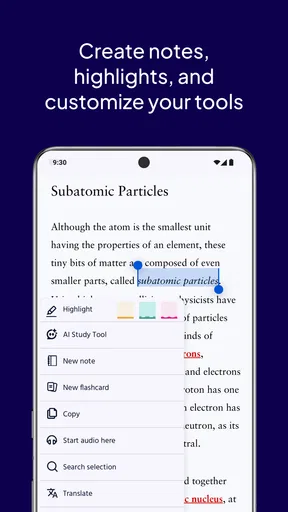
- Bookmarks and notes help organize important study material.
- Audio and interactive features can make textbook content more engaging.
Limitations of Pearson+ | Study help & eTexts
- Access to many textbooks depends on an active Pearson+ subscription.
- The catalog may not include every title required by your course.
- Some interactive content may work better on desktop than on mobile.
- Large eText downloads can consume considerable device storage.
- Notes and progress may depend on a stable account sync connection.
Similar Picks in This Category
View All
Duolingo: Language Lessons
Duolingo4.7

Google Classroom
Google LLC2.8

Unacademy: Learn & Crack Exams
Unacademy3.2

Bible App for Kids
Life.Church4.4

Cake - Learn English & Korean
Cake Corp.4.7

Brainly: AI Homework Helper
Brainly4.5
Frequently Asked Questions
What is Pearson+ | Study help & eTexts?
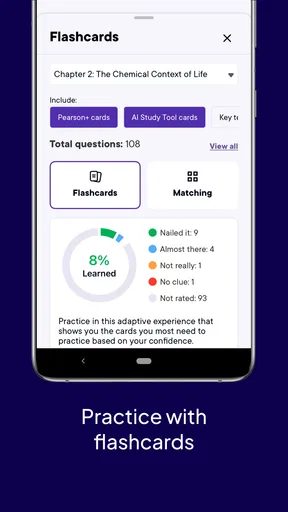
Pearson+ is a digital learning platform for accessing eligible Pearson eTextbooks and study resources from a mobile device or web browser. Depending on the title and subscription plan, it may include interactive reading tools, audio or video content, practice activities, flashcards, notes, highlights, and progress features designed to support students while studying.
Do I need a subscription or Pearson account to use Pearson+?
Yes, most Pearson+ content requires you to create or sign in to a Pearson account and choose an available subscription or access option. The exact price, trial availability, and included features can vary by region, textbook, institution, and plan. Before paying, check that your required eTextbook is included and review the renewal terms carefully.
Can I use Pearson+ offline?
Pearson+ may allow supported eTextbooks or selected learning materials to be downloaded for offline reading, which is useful when traveling or studying without reliable internet access. However, not every feature works offline, and you may need to connect periodically to verify access or synchronize notes and progress. Available offline options can also depend on the title and device.
Does Pearson+ include homework, quizzes, or answers to course assignments?
Pearson+ can provide study aids such as practice questions, explanations, flashcards, videos, and other interactive resources, but the available tools depend on the specific textbook and course. It should not automatically be assumed that a subscription includes access to every Pearson homework system or instructor-assigned activity. Confirm your course requirements before downloading or subscribing.
What devices are compatible with Pearson+?
Pearson+ is designed for use on supported Android and iOS devices, as well as through compatible web browsers. The experience may differ between phones, tablets, and computers, particularly for interactive content, videos, or advanced reading tools. Keep the app updated and check the store listing and Pearson’s current requirements if your device uses an older operating system.
